
INTERACTIVE LEAD TOOLS
Interactive Lead Tools for Service-Based Businesses
Turn existing interest into a clearer next step
Wild Root Web creates custom interactive tools that help potential clients understand what they need, find the right path, and move forward with more confidence.
Interactive lead tools are one part of a clearer website path – helping visitors after they have found you, but before they are ready to inquire, book, apply, or choose what fits.
From the strategy and questions to the result experience, website integration, and follow-up, each tool is built around your business – not pulled from a generic quiz template.
More than a quiz on your website
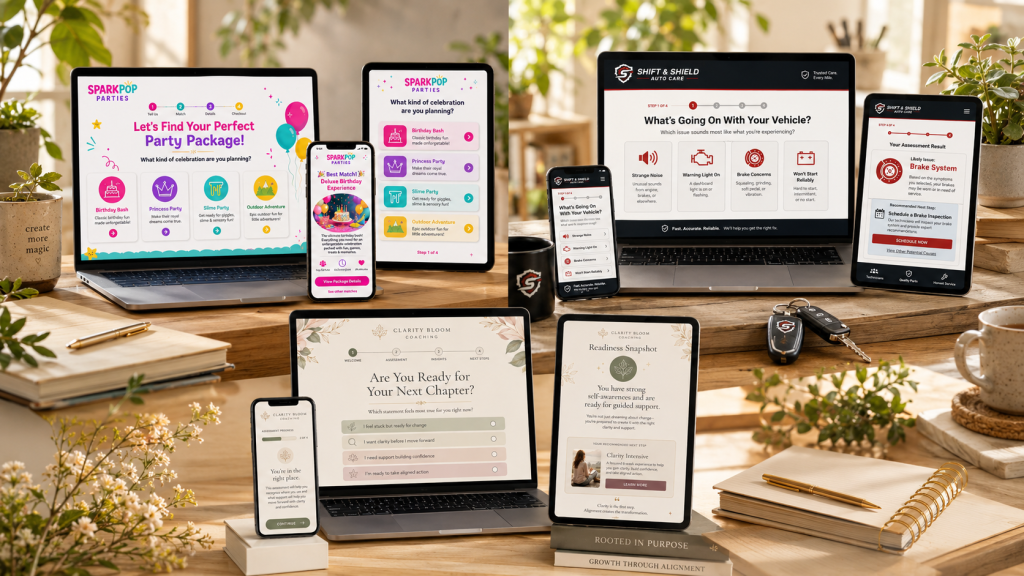
An interactive lead tool is a guided website experience – such as a website quiz, service matcher, assessment, recommendation tool, or lead qualification form – that helps visitors understand what they need and move toward the right next step.
Instead of leaving visitors to read through every page, compare every offer, or decide whether they are ready on their own, the tool asks thoughtful questions and responds with relevant guidance.
Depending on the business, that guidance might help someone:
- choose the right service or package
- identify the issue they need help solving
- assess whether they are ready for a particular next step
- receive a personalized recommendation
- share useful information before reaching out
- move into the right booking, inquiry, or follow-up path
What kind of tool could your business use?
Service Match
Tool
Useful when: You offer several ways to work together and potential clients are unsure where to begin.
Helps visitors compare services, packages, or starting points and identify the option that fits their needs best.
Diagnostic Assessment
Useful when: People know something is not working, but they cannot clearly identify the problem or solution.
Helps visitors identify the underlying issue, gap, or challenge before deciding what kind of support they need.
Readiness Assessment
Useful when: Readiness matters and you want people to reflect before booking, applying, or purchasing.
Helps potential clients understand whether they are prepared for a service, program, investment, or next stage.
Personalized Recommendation
Useful when: Different people need different next steps and one general call to action does not serve everyone well.
Uses a visitor’s answers to recommend a relevant offer, resource, action, or path.
Takes approximately 3–5 minutes. No email required to view your result.
An interactive tool may be a good fit when…
You do not need a complicated funnel to benefit from a guided experience. Often, the opportunity shows up when people are already interested but unsure what to do next.
Built around your actual client journey
You do not just need quiz software. You need the right questions, recommendation logic, results, follow-up path, and website integration.
Every project begins with what your visitors need help understanding and what your business needs to happen next. This is also part of Wild Root Web’s human-first approach: tools should guide people with clarity, not pressure them into action.
Your tool may include:
- a custom welcome and introduction
- strategic questions and answer options
- scoring, branching, or recommendation logic
- branded question screens
- progress indicators and transitions
- personalized result experiences
- service, resource, or next-step recommendations
- inquiry, booking, or application pathways
- email capture and automation follow-up
- responsive design for desktop, tablet, and mobile
- website or landing-page integration
- testing and launch support
How an Interactive Lead Tool Comes Together
Every project begins with what your visitors need help understanding and what your business needs to happen next. From there, the tool is shaped around your offers, audience, website path, logic, and follow-up process.
The Strategy
We clarify the purpose of the tool, who it is guiding, what questions it needs to ask, and what next steps should be recommended.
Includes tool structure, question flow, answer options, scoring, branching, recommendation logic, and how the tool fits into your larger website path.
The Experience
The tool is designed to feel like a natural extension of your
business and website, not a generic form or quiz.
Includes branded screens, progress indicators, transitions, personalized result pages, and responsive layouts for desktop, tablet, and mobile.
The Results
Each result is written to help visitors understand what their answers mean and what they should do next.
Includes service recommendations, resource suggestions, next-step guidance, inquiry paths, booking prompts, or application pathways.
The Connections
The tool can connect with the systems that help you capture, follow up with, and support potential clients.
Includes email capture, automation follow-up, forms, booking links, website integration, landing pages, testing, and launch support.
How to start a tool build
Interactive lead tools are custom projects, so the build is quoted after we understand what your business needs the tool to do.
The best first step is a Tool Fit Session. During that session, we’ll look at your services, audience, current website, and visitor path so we can clarify the right type of tool, the questions it should ask, the results it should provide, and the supporting pieces it may need.
After the session, if you want Wild Root Web to build the tool, I’ll send a project recommendation and quote. Once the proposal is approved and the deposit is paid, your build is scheduled.
Steps:
01. Book a Tool Fit Session
We clarify the tool type, purpose, visitor path, and connected pieces.
02. Receive a project recommendation
You’ll get a practical direction for what the tool should include and how it could fit into your website.
03. Review your quote
I’ll prepare a custom quote based on the scope, integrations, result paths, and support needed.
04. Approve and begin
Once the quote is approved and the deposit is paid, your project is scheduled and the build begins.
LET’S GET STARTED!
INTERACTIVE LEAD TOOL EXAMPLES
What could an interactive lead tool do for your business?
The right tool depends on what your potential clients need help understanding before they are ready to move forward. It might help them choose the right service, identify the real issue, assess their readiness, or receive a personalized recommendation.
Select a tool type below to see what that experience could look like.
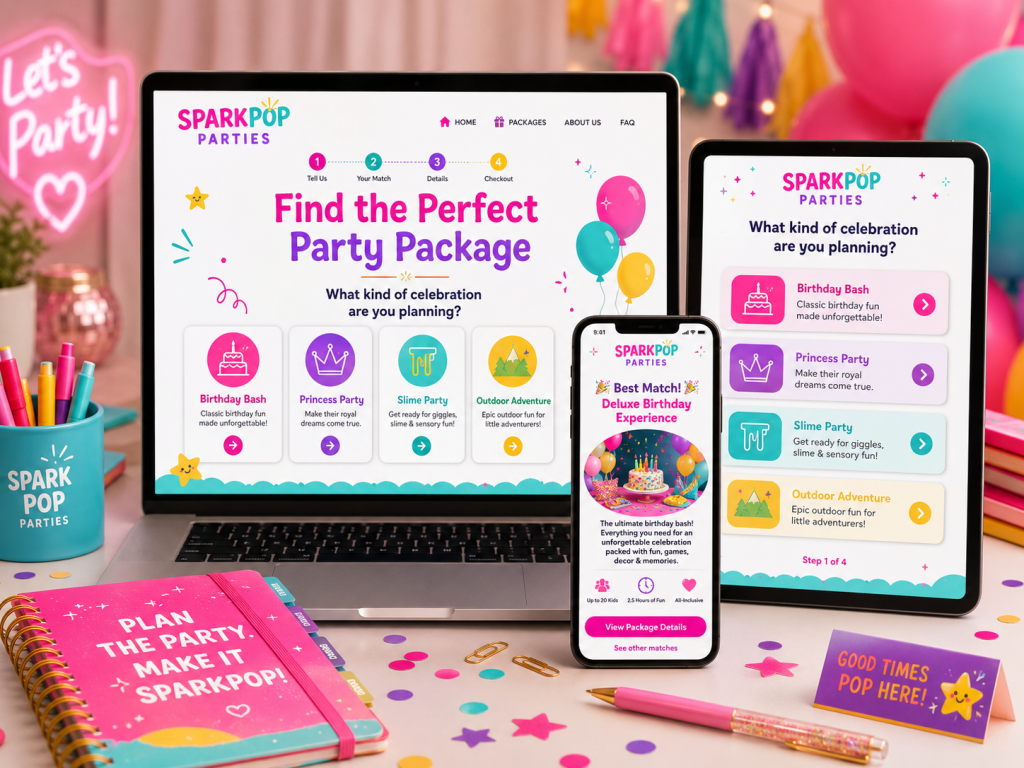
Help visitors compare options and find the service or package that fits best.
Service Match Tool
Helps visitors understand which service, package, or starting point best fits their needs.
Useful when: You offer several ways to work together and people are unsure where to begin.
Example result:
“Based on your answers, the Strategy Intensive is likely your best next step.”
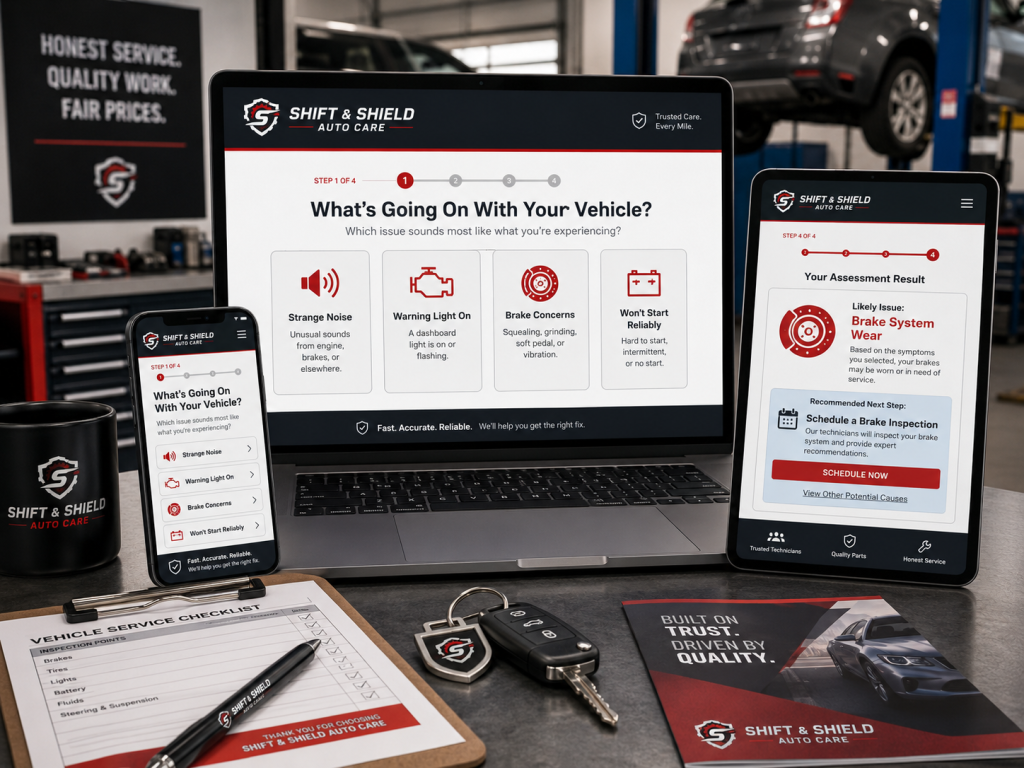
Help visitors identify the underlying issue before deciding what kind of support they need.
Diagnostic Assessment
Helps visitors identify the underlying issue, gap, or challenge that may be keeping them from moving forward.
Useful when: People know something is not working, but they are not sure what the actual problem is or what kind of support they need.
Example result:
“Your biggest gap appears to be an unclear client journey. Strengthening the path between interest and inquiry should be your first priority.”
Help potential clients understand whether they are ready for a specific next step.
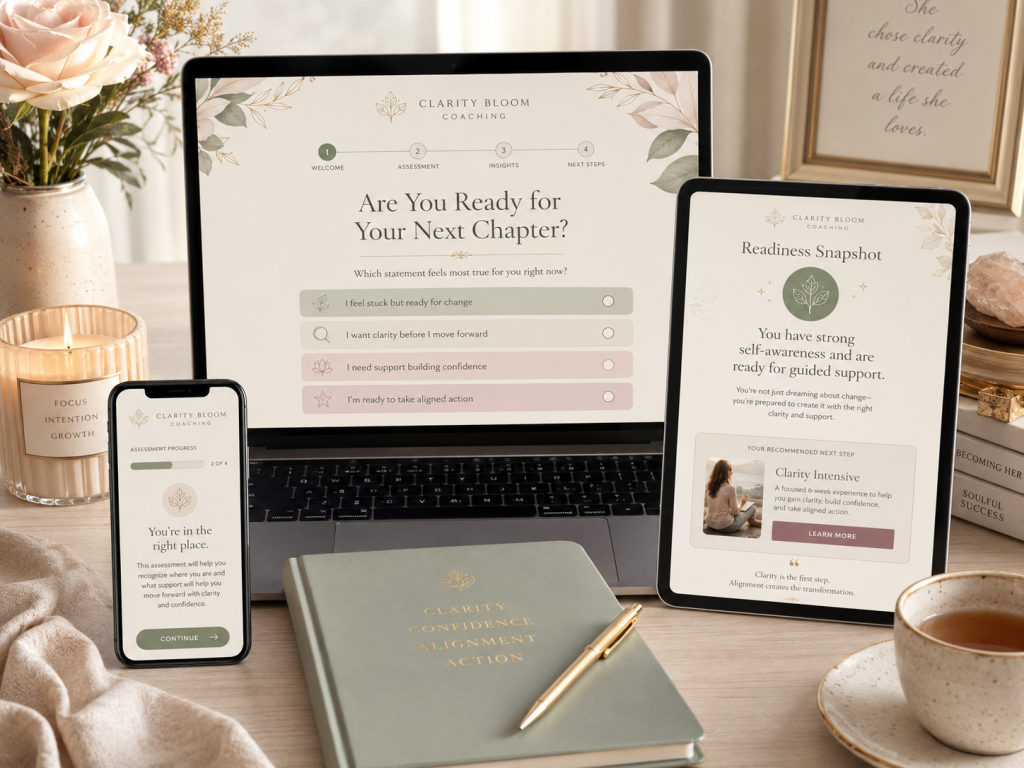
Readiness Assessment
Helps visitors understand how prepared they are for a specific service, offer, program, or next step.
Useful when: You want potential clients to reflect on their current situation before booking, applying, or investing.
Example result:
“You have a strong foundation in place, but a few key pieces should be clarified before you move into implementation.”
Give each visitor a tailored recommendation based on their answers, goals, or preferences.
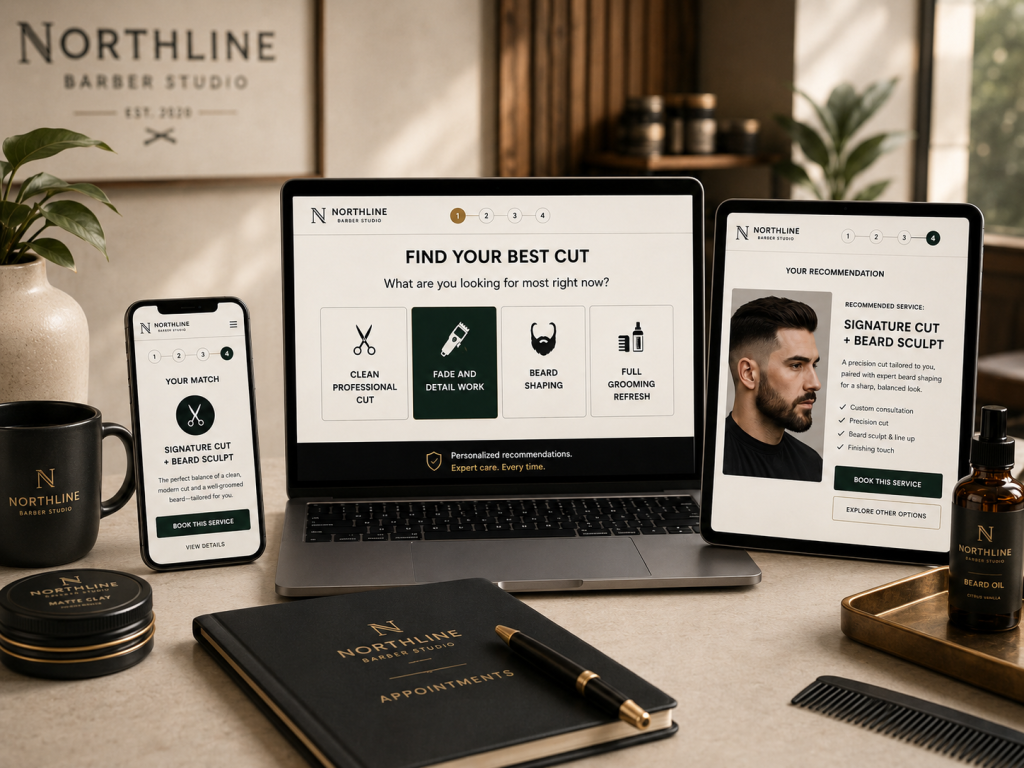
Personalized Recommendation Tool
Uses a visitor’s answers to recommend the most relevant resource, offer, action, or path based on their specific needs.
Useful when: Different visitors need different next steps, and one general call to action does not serve everyone equally well.
Example result:
“Based on your priorities, your best next step is the Client Journey Review, followed by a focused landing page update.”
These are only starting points. Every Wild Root Web tool is shaped around the business, audience, offers, and next steps it needs to support.
Takes approximately 3–5 minutes. No email required to view your result.
The tool is only one part of the experience
A strong interactive tool works best when the pages, forms, follow-up, and website around it support the same clear path.
Wild Root Web can help bring the full system together, so you are not trying to coordinate separate providers for strategy, development, WordPress, automation, and ongoing support.
That might include:
- tool strategy, questions, and recommendation logic
- landing-page design and content
- ongoing website and tool support
- forms, booking, and Brevo automation
- launch testing and refinements
- WordPress updates or website development
The result is not just a tool sitting on your website. It is a clearer path from interest to inquiry, supported by the pieces around it.
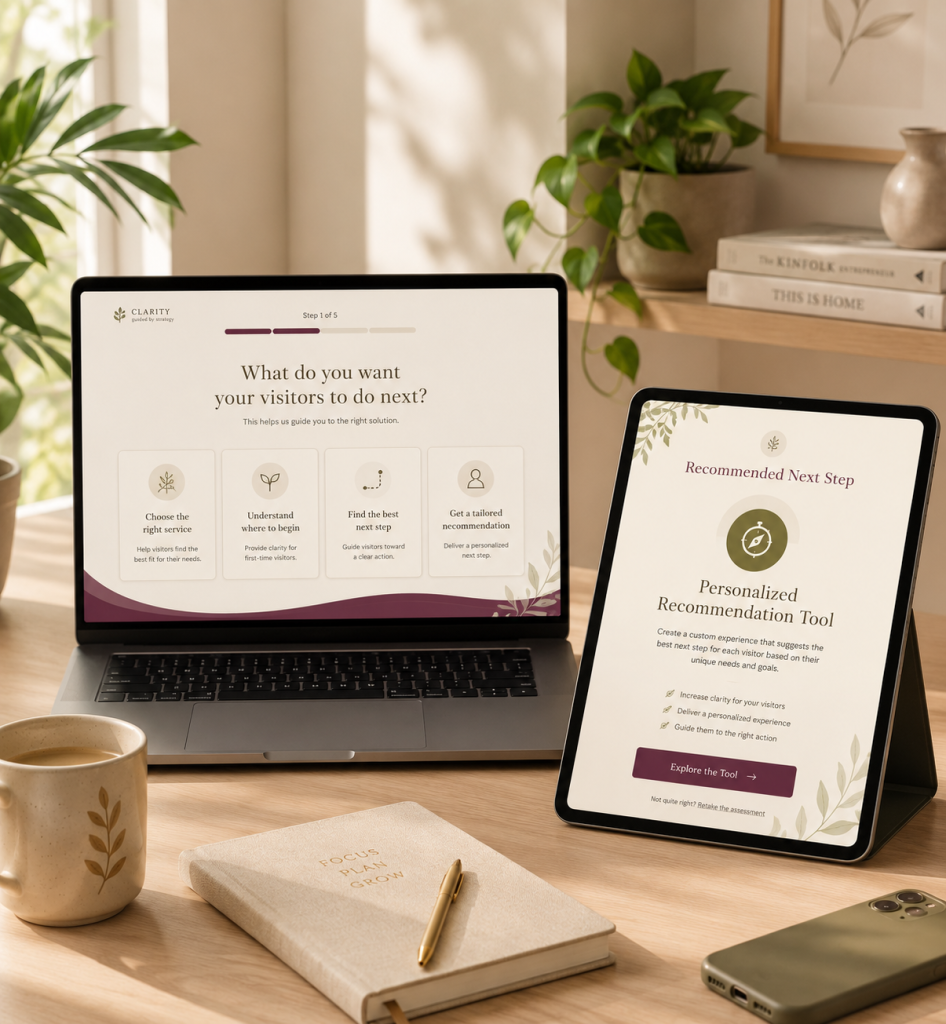
Every tool is shaped around the business behind it
The scope depends on the number of questions, recommendation paths, custom design needs, integrations, landing pages, automation, and ongoing support involved.
A focused tool with a small number of result paths will require less development than a larger assessment with detailed recommendations, email segmentation, and multiple integrations.
The first step is a Tool Fit Session, where we determine what your tool should do and what would be involved in building it.
Frequently Asked Questions About Interactive Lead Tools
If you’re interested in an interactive lead tool but aren’t sure what your business needs yet, you’re welcome to reach out. I’m happy to help you think through the best next step, whether that’s a tool, a landing page, website support, or a fuller client journey setup.
From the Resources
Helpful notes on websites, lead tools, and turning interest into clearer action.
What Should Happen After Someone Completes a Website Quiz or Assessment?
What Makes a Website Lead Qualified – and How Can Your Website Help?
Visitors Don’t Know Which Service to Choose – How Can Your Website Help?
What Is an Interactive Lead Tool? Examples, Types, and How They Work

Should You Add a Quiz to Your Website? Benefits, Examples, and What to Consider
Why Your Contact Form May Be Losing Interested Leads